The Most Agentic PDF Reader in the World
Fast, light, and privacy-first. Read, edit, sign, snapshot, and convert PDFs safely on your device, with OxnaAI, ChatGPT, Claude, or offline Local AI.
100% Free. No Sign-Up · No Subscription · No Ads · Unlimited Use.
Developed by Dr Fatih Kansoy. Version 1.11.18.
Free & Unlimited
The desktop app, all 51 online tools, and every AI connector are 100% Free. No Subscription · No Trial · No Paywall.
Fast & Light
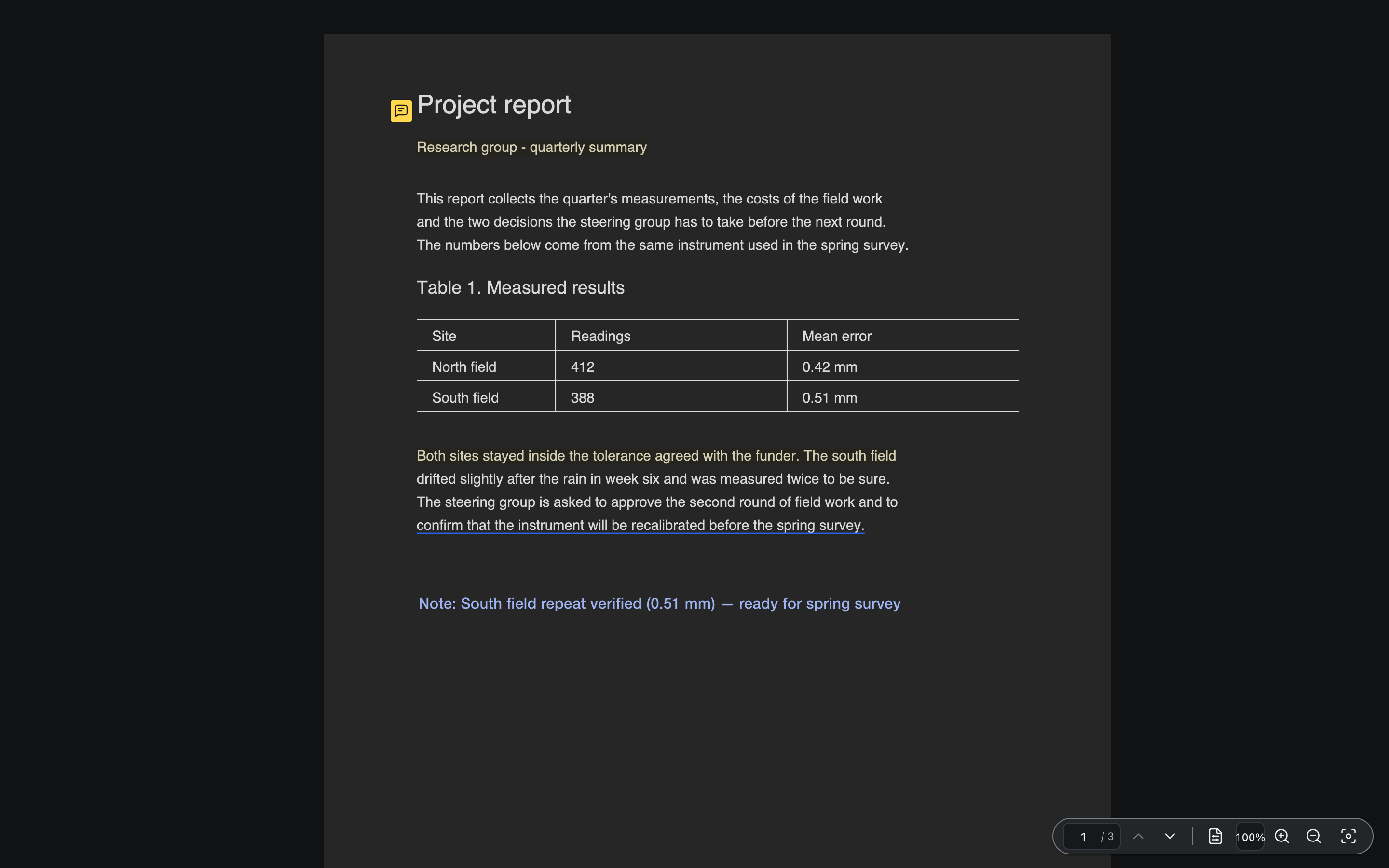
Instant native startup, minimal icon-only left rail with collapsible sub-bars, and zero visual clutter over your document.
Safe & Non-Destructive
Security-reviewed before launch. Your original PDF is never overwritten. Save directly to your Library or save a new copy at any time.
Privacy-First & Local AI
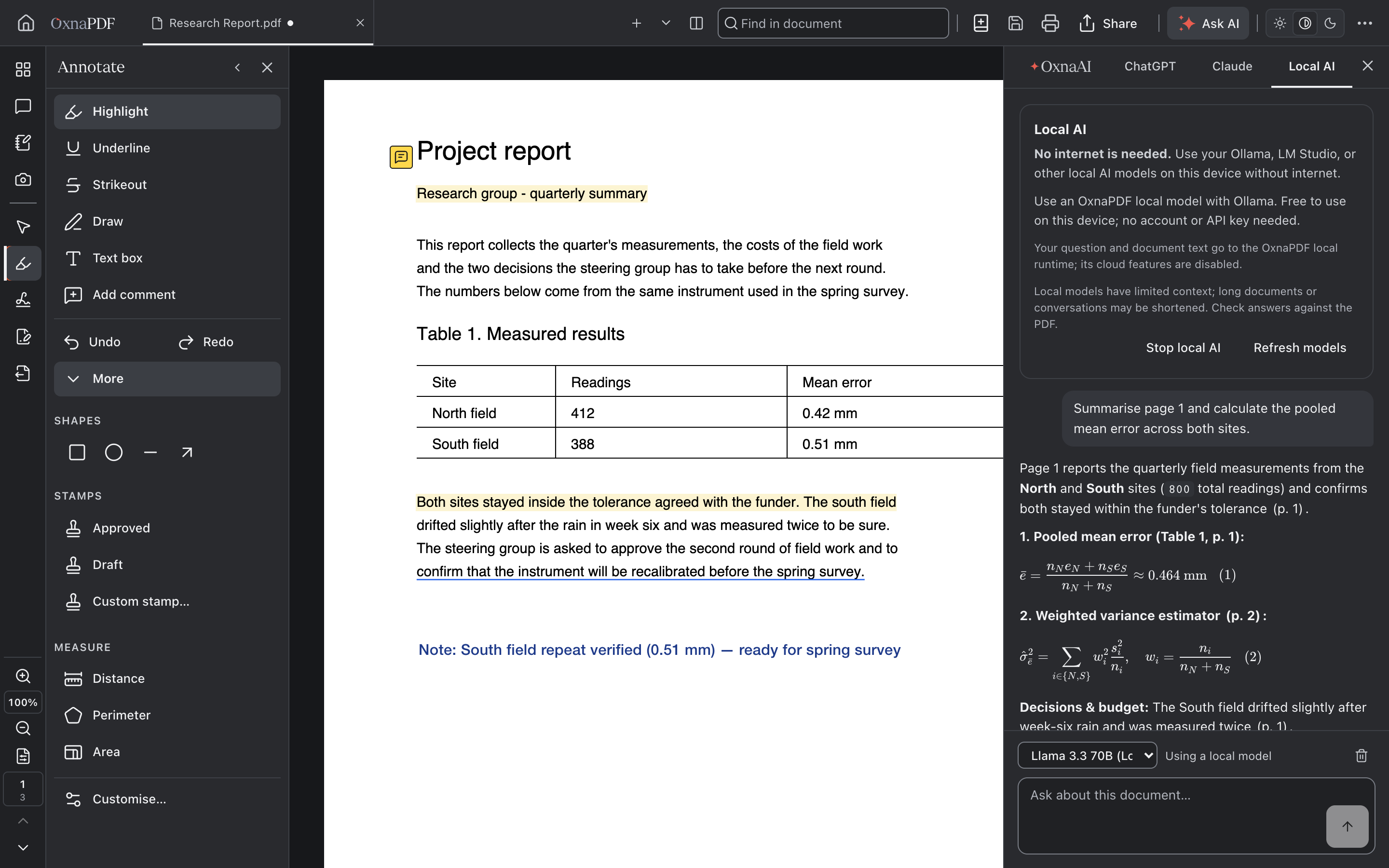
Your files stay on your device with No Analytics · No Tracking · No Ads. No internet is needed when using your Ollama, LM Studio, or other local AI.
Snapshot & Social Share
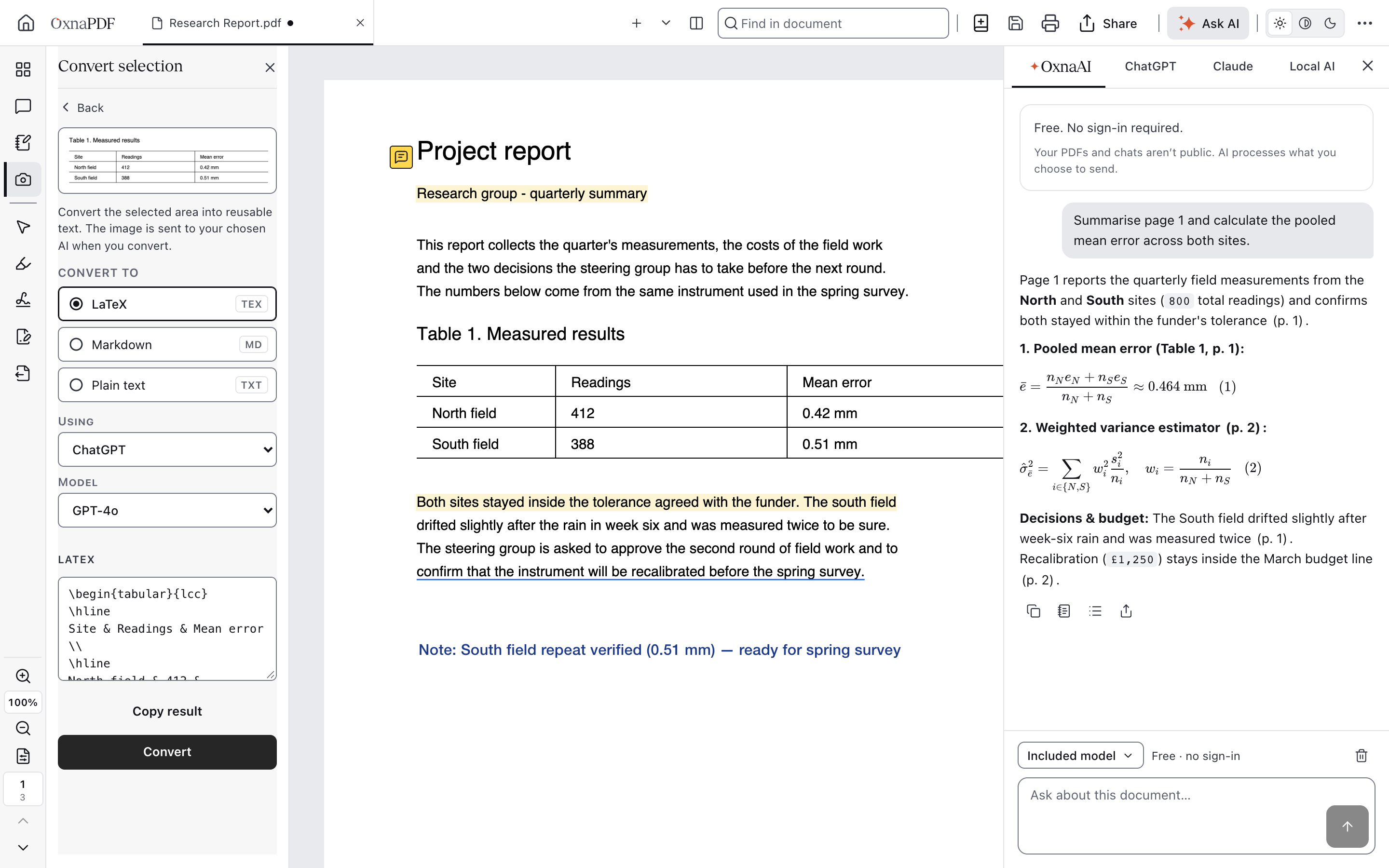
Capture any equation, table, or chart to convert into LaTeX or Markdown, or share cards directly to X, LinkedIn, WhatsApp, and Email.
AI-Native & Agentic
Switch between OxnaAI, ChatGPT, Claude, and offline Local AI on the right bar, build cited Research Packs, or run 21 MCP tools.
Download OxnaPDF
One app for reading, editing and AI.
macOS
Apple silicon and Intel.
Download for Apple SiliconFirst open: if macOS says it cannot check the app, open System Settings, Privacy & Security, and click Open Anyway.
Windows
Windows 10 and 11, 64-bit.
Download the InstallerFirst open: More info, then Run anyway.
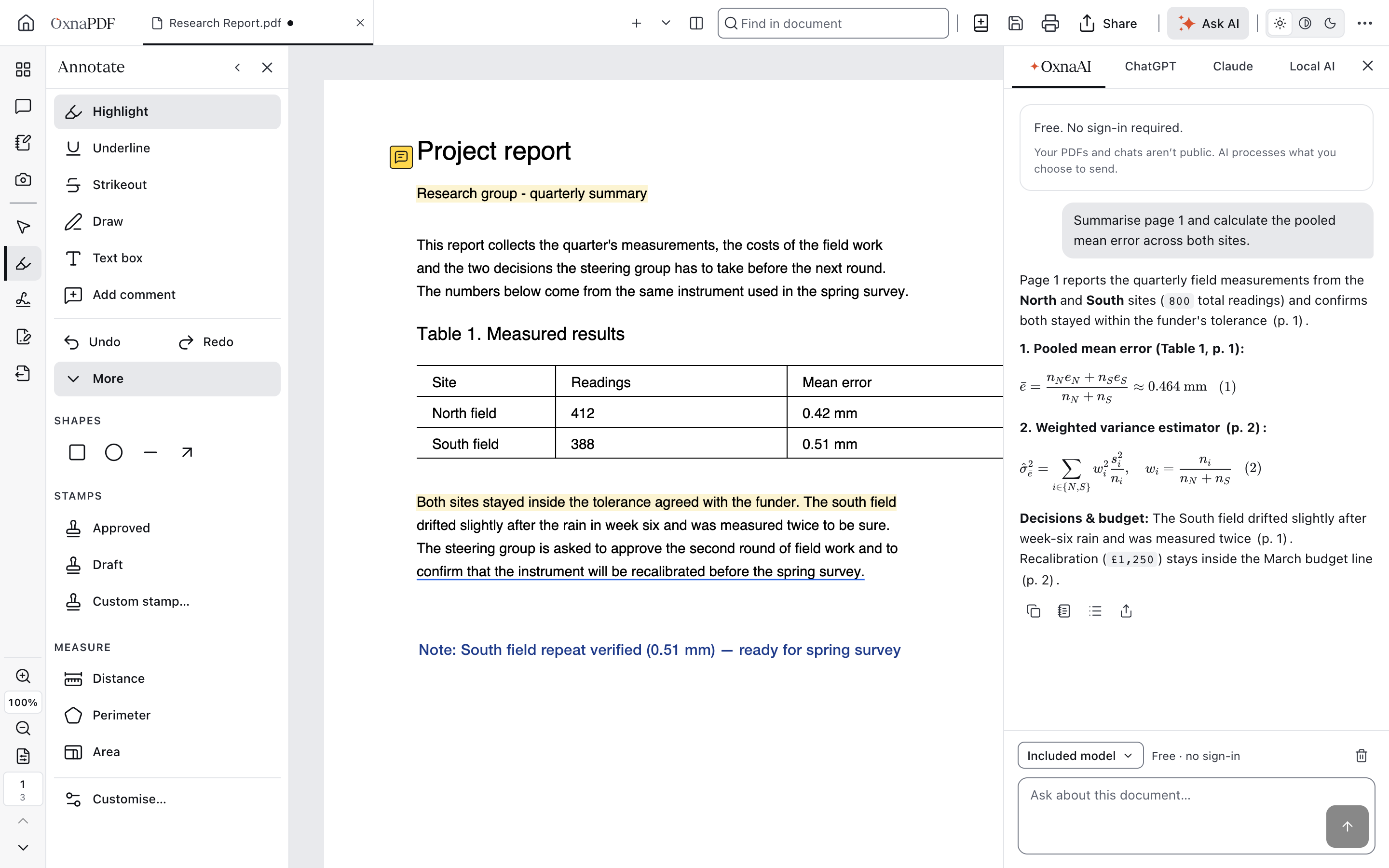
Left Toolkit. Right AI Studio.
An ultra-clean 48px icon rail with collapsible hover-guided sub-bars, integrated zoom and page controls on the left, and Light, Dark-Half and Dark-Full reading modes.
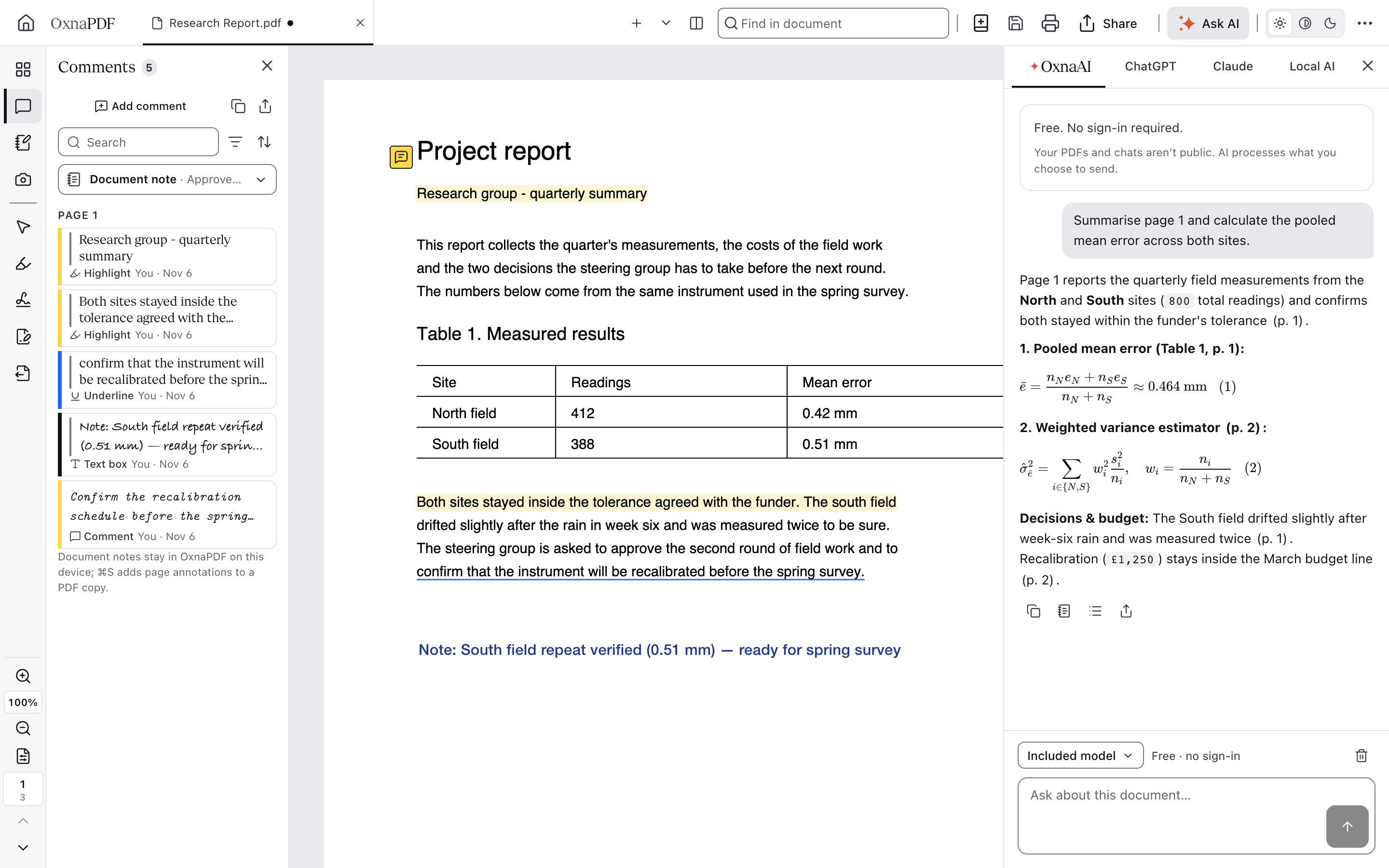
Ask OxnaAI, ChatGPT, Claude or Local AI
Answers cite the exact page and typeset equations. Switch between OxnaAI, ChatGPT, Claude, and Local AI (use your Ollama, LM Studio, or other local AI without internet), or export a cited Research Pack.
What does equation 3 say?
β̂ = (XᵀX)⁻¹Xᵀy
The least-squares estimate: it chooses the coefficients that minimise the squared errors.
Page 4 · Cited in Research PackEdit, Sign and Save to Library
Highlight, comment, fill forms, sign and redact. Save directly to your personal Library or save as a new copy. Your original stays untouched.
Convert and Organise
Word, Excel, PowerPoint and images. Merge, split, compress and reorder pages locally on your device.
51 Free Online PDF Tools
Edit & Review15
Create & Convert12
Pages & Workflows11
Protect & Redact6
Optimise & Repair2
Use OxnaPDF Inside Your AI Assistant
One or two clicks.
Claude
One click, then sign in with Google. It also appears in Claude Desktop and Claude Code.
ChatGPT
In ChatGPT Plugins, choose Add custom MCP server and paste this address.
https://mcp.oxna.ai/mcp/chatgptClaude Desktop
Runs on your computer. Open the file and Claude Desktop installs it.
Gemini and Antigravity
Unzip the extension, then install it with one line. In Antigravity, add the folder as a plugin.
gemini extensions install ~/Downloads/oxfordpdf-gemini-extension-0.3.0Local AI · Offline
No internet is needed. Use your Ollama, LM Studio, or other local AI models directly inside OxnaPDF without internet. Free to use on your device: No Account · No API Key.
http://localhost:11434/v1 · http://localhost:1234/v1Why OxnaPDF
Everything Is Free
The app, all 51 online tools, and the AI plugins. No Subscription · No Trial · No Paywall.
Private by Design
Your files stay on your device. No Analytics · No Tracking · No Ads.
Security Reviewed
Checked before launch with Cloudflare's security audit and a Mistral security review.
Your Original Is Never Changed
Edits are saved as a new copy.
Tested on Every Platform
Installed and opened on macOS, Windows and Linux before each release.
Verified Downloads
SHA-256 checksums for every file.
Questions
- Is OxnaPDF Really Free?
- Yes, 100% free. The app and all 51 online tools are free and unlimited, with no subscription and no ads. Asking OxnaAI is free with a daily limit.
- Are My Files Uploaded?
- No. The app and the online tools work on your device. When you ask AI, your question and the relevant text go to the AI service.
- Do I Need an Account?
- No. You sign in only to connect an AI assistant.
- Which Systems Does It Run On?
- macOS on Apple silicon and Intel, Windows 10 and 11 (64-bit), and Linux on x64 and ARM64.